Full apps now open inside Claude. The developer features are a gated preview
Anthropic's 10 November update brings MCP Apps app tools, embedded sites and a side panel to Claude. What each does, who can use it and where trust now sits.
Partner software can now run as a full application inside Claude rather than as a small card in the chat. In an announcement dated 10 November 2026, Anthropic said users can open a supporting tool beside the conversation or expand it to full screen, ask Claude to change a page, row or file they have open, and watch the changes appear as Claude makes them. The first tools named are Asana, Canva, Carta, Dropbox, monday.com, Smartsheet, Vercel and Webflow. The announcement says the rollout covers the web and the desktop app on all plans, as part of the combined chat and Cowork experience.
For developers, the substance sits in one sentence of that post: Claude “now supports more of the extension, such as app tools, along with embedded sites, so a developer’s full app can run inside Claude.” The extension is MCP Apps, the official Model Context Protocol extension for interactive interfaces. App tools let Claude act inside a rendered view of an app. Embedded sites let that view load the developer’s real web product in an iframe. Anthropic says support for these capabilities “is in public preview for developers.”
That framing needs one qualification, and the documentation supplies it. Anthropic’s own developer pages say app tools, the side panel, entry points and embedded sites for custom connectors are available to “a limited set of organizations.” For app tools, the side panel and custom-connector embedded sites, the pages add “and not in every conversation.” For a directory connector, embedded sites and entry points also depend on a Verified listing. A developer can build today, but cannot assume that every user will see the same app. This article sets out what changed in the protocol and in Claude, what a developer can build against, and where approval and trust now sit. We read Anthropic’s announcement, its developer documentation and the MCP specification; we have not run an MCP App in Claude, and the behaviour described here is as documented on 12 November 2026.
What changed on 10 November, and what was already there
MCP Apps is not new. The MCP maintainers announced it on 26 January 2026 as the first official MCP extension, built on patterns from the community MCP-UI project and from OpenAI’s Apps SDK. Anthropic launched interactive connectors the same day, with Amplitude, Asana, Box, Canva, Clay, Figma, Hex, monday.com and Slack rendering small live views inside conversations. The 10 November post describes that launch as bringing “a small live view of tools into Claude.”
What is new is the size and agency of the app. Under the January model, a tool returned a view, the user clicked around in it, and the view could call back to its own server. Under the November model, the view can be a full product surface beside the conversation, and Claude itself can operate that surface through tools the view publishes. Anthropic’s example for Confluence and Notion is “the full editor, signed into your own account.”
The same day, Anthropic published a broader product post covering Claude Sheets, Whiteboards and Data, plus enterprise controls. It says the Claude Marketplace lists more than 9,000 connectors and plugins, that admins can limit what each connector can do (its example is reading Slack without sending messages) and that “partners can embed their apps directly in Claude.” That figure is Anthropic’s own count and covers connectors and plugins generally, not MCP Apps.
A reconstructed timeline
| Date | Event | Source |
|---|---|---|
| 21 November 2025 | SEP-1865, “MCP Apps: Interactive User Interfaces for MCP”, created | Draft specification header |
| 26 January 2026 | MCP Apps specification marked stable at version 2026-01-26; MCP blog announces the extension | Stable spec, MCP blog |
| 26 January 2026 | Interactive connectors launch in Claude with nine named tools | Anthropic |
| 16 September 2026 | Chat and Cowork merge into “one Claude”, rolling out first to Pro, Max and Ultra | Anthropic |
| 23 October 2026 | The unified experience becomes generally available on Enterprise, per an update to that post | Anthropic |
| 10 November 2026 | Full apps beside the chat; app tools and embedded sites in public preview for developers | Anthropic |
| 11 November 2026 | Independent, docs-based developer write-up of the gates | Max Nardit |
The September merge matters for developers. The pages for app tools, embedded sites, the side panel and entry points each name the “unified Claude experience” as a condition for testing or using the feature. Anthropic’s test instructions say that if the message box still offers a choice between Chat and Cowork, the account does not have it. On Team and Enterprise plans, an Owner or Primary Owner controls it with the “Chat and Cowork unified” setting. A developer testing on an account that has not been migrated should expect not to see these features, and the docs describe no error message that explains why.
How MCP Apps works underneath
Readers new to the protocol can start with our practical guide to MCP and the full MCP guide, which lists MCP Apps among the official extensions. The short version follows.
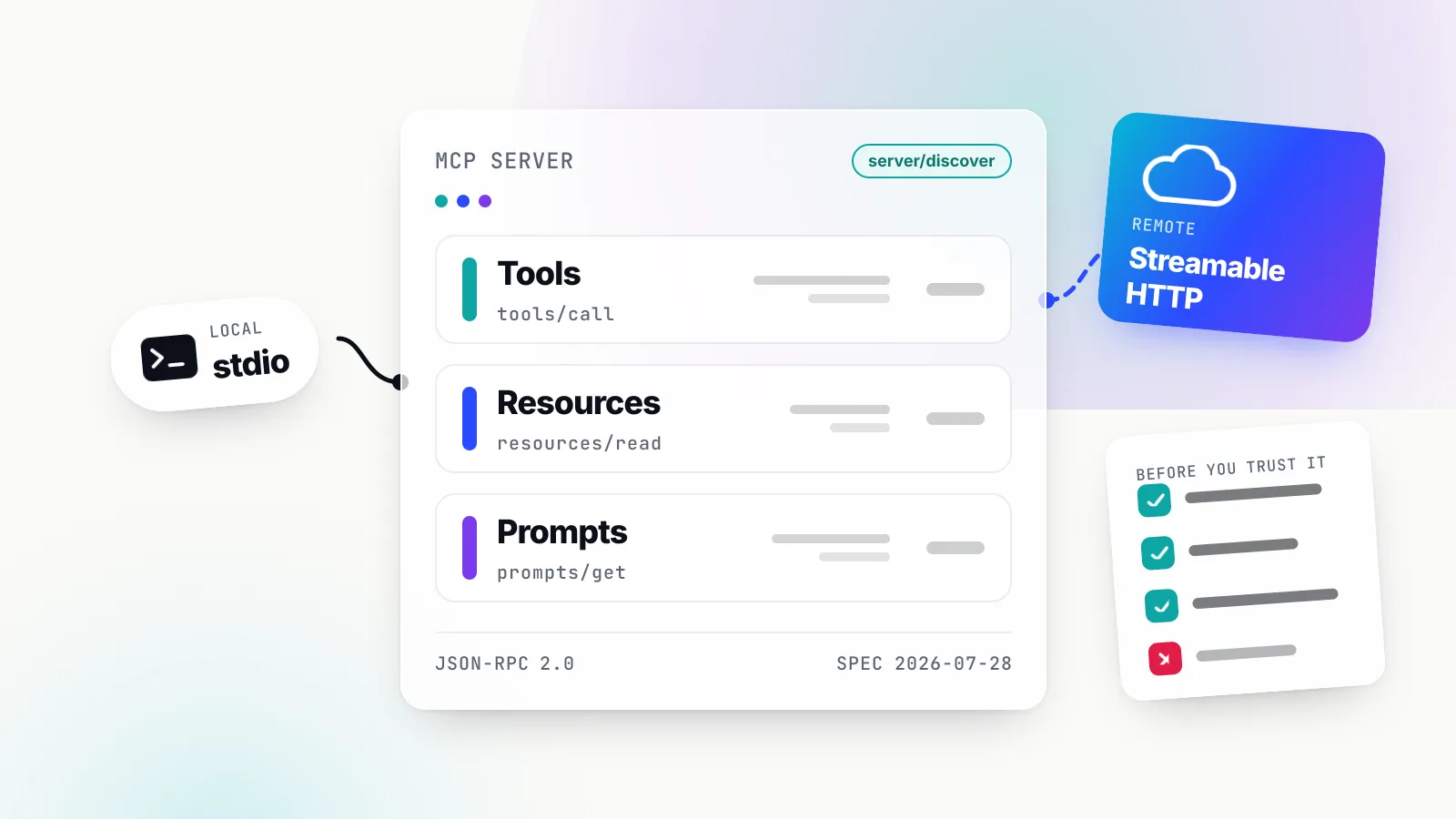
An ordinary MCP tool returns text or structured data that the host displays. An MCP Apps tool also carries a pointer to an interface. According to the stable specification, the extension is identified as io.modelcontextprotocol/ui. A tool declares _meta.ui.resourceUri, pointing at a resource that must use the ui:// scheme and the MIME type text/html;profile=mcp-app. The host fetches that HTML, renders it in a sandboxed iframe, and talks to it over postMessage using JSON-RPC.
The MCP Apps overview describes this as “its own dialect of MCP.” Some methods are shared with the core protocol, such as tools/call. Most are new and carry a ui/ prefix: ui/initialize for the handshake, ui/message to add a message to the conversation, ui/update-model-context to set context for future turns, ui/open-link, and ui/request-display-mode. The host pushes the tool’s arguments and result into the view with ui/notifications/tool-input and ui/notifications/tool-result.
Two fields in the stable specification do most of the security work:
visibilityon a tool is an array of"model"and"app". The default is both. A tool marked["app"]can be called by the view on the same server connection but is hidden from the model.cspon a resource lists four kinds of allowed origins:connectDomains(fetch, XHR, WebSocket),resourceDomains(scripts, styles, images, fonts, media),frameDomains(nested iframes) andbaseUriDomains. Ifcspis omitted, the host must apply restrictive defaults, includingconnect-src 'none', and withoutframeDomainsthe sandbox usesframe-src 'none'. Hosts “MAY further restrict but MUST NOT allow undeclared domains.”
For web hosts, the specification requires a “sandbox proxy”: the host “MUST wrap the View” in an intermediate iframe on a different origin, which applies the content security policy derived from the metadata. It also requires that the host send nothing to the view before the view’s initialized notification. The threat model the specification names covers malicious HTML, sandbox escape, unauthorised tool execution, data exfiltration and phishing, and it lists resource consumption among its other risks.
Where app tools sit in the specification
App tools invert the usual direction. Instead of the server exposing tools and the view calling them, the view exposes tools and the host calls them. The stable 2026-01-26 text mentions this only briefly: an appCapabilities.tools field, described as “App exposes MCP-style tools that the host can call,” with a listChanged flag. The draft specification goes further and lists host-to-app “Call app-registered tool” and “List app-registered tools” messages, plus an app-to-host notification when the tool list changes.
That is why Anthropic’s wording is “supports more of the extension.” The building blocks for app tools are in the extension; Claude is now one of the hosts that implements them. It also means the detailed behaviour that developers will rely on, such as limits, approval and timeouts, is currently defined by Claude’s documentation rather than by the stable specification.
The six things an MCP App can now do in Claude
Anthropic’s getting-started page lists six capabilities. Two of them, app tools and embedded websites, are the ones the announcement names. The others shape how those two feel to a user.
| Capability | What it does | Key mechanism |
|---|---|---|
| Side panel and full screen | Shows the view beside the conversation or filling the chat area | availableDisplayModes, requestDisplayMode, Claude-only preferredDisplayMode |
| Entry points | Lists the app on the Artifacts page so people open it without asking Claude, and lets them pin it | _meta["openai/ui"].entrypoints containing { "type": "global" } |
| App tools | Lets Claude change what the open view shows | app.registerTool, or onlisttools and oncalltool |
| Messages | Lets the view send Claude a message after a user action | app.sendMessage, received as ui/message |
| Embedded websites | Loads the developer’s own site in an iframe inside the view | _meta.ui.csp.frameDomains, plus the site’s frame-ancestors header |
| Downloads | Saves a file from the app to the user’s device after the user confirms a download dialog | app.downloadFile (ext-apps 1.1.2 or later), checked with getHostCapabilities()?.downloadFile |
App tools
The app tools page uses a shopping list as its example: a user asks Claude to add milk, and milk appears in the list on screen. A developer registers the tool in the view’s script, either with app.registerTool and a schema object from a library that implements Standard Schema (the docs name zod 4.2 or later), or by writing JSON Schema directly in onlisttools and oncalltool handlers. app.registerTool requires @modelcontextprotocol/ext-apps 1.7.0 or later and must be called before app.connect() so the view declares the tools capability.
Tools can be enabled, disabled, updated or removed while a view is open. The docs suggest disabling an editing tool while no document is open. Claude sees each tool’s name and the first line of its description, up to 200 characters, and fetches the rest only when it looks the tool up, so the first line has to stand on its own.
The documented limits are specific:
| Limit | Value | What happens if exceeded |
|---|---|---|
| Tools in one view | 64 | Claude can use none of the view’s tools |
| All tool definitions together | 1 MiB as JSON | Claude can use none of the view’s tools |
| Tool name | Letters, digits, ., _, -; up to 128 characters; unique in the view | Claude does not receive the tool |
| Input schema | type: "object" at the root; up to 64 KiB, nested up to 32 levels | Root error disables all tools; oversize schema becomes an empty object and removes Always allow |
| Time to respond | 45 seconds, not counting user approval | Claude gets an error saying the view did not respond and the action might have happened |
| Result text | 100,000 characters | Claude gets the first 100,000 characters and a truncation note |
Three behaviours matter for design. First, Claude reads the text blocks in a result; it reads structuredContent only when there is no text at all. Second, a conversation can hold two views of the same app, and each call reaches only one, so each tool should change only its own view’s state. Third, when a view reloads “it starts from your HTML,” so anything that must survive a reload belongs on the server. There is also a sequencing quirk: when the first view opens, Claude receives its tools with the user’s next message, so asking for a change in the same message that opens the app will not work.
Embedded websites
An embedded site is the developer’s own website loaded in an <iframe> inside the view. This is how a full editor or dashboard can appear without being rebuilt as a bundled MCP App. The developer declares each origin in _meta.ui.csp.frameDomains on the content item returned by resources/read, and the site itself must permit framing by two origins in its frame-ancestors header: https://claude.ai and the connector’s sandbox host on claudemcpcontent.com.
That sandbox host is deterministic. For Claude, the ui.domain value is the first 32 hexadecimal characters of the SHA-256 hash of the server URL, followed by .claudemcpcontent.com. Anthropic’s example gives c3d80a4ed901ee05b21755a88273b4a4.claudemcpcontent.com for https://example.com/mcp, and we reproduced that value with Node’s crypto module. Without ui.domain, the docs say, the sandbox host differs between conversations, which breaks any site that restricts framing.
The sandbox constrains the embedded site in ways that will surprise web teams. window.open() and target="_blank" links do not open; alert(), prompt() and print() do nothing; confirm() returns false; file links do not download; document.requestStorageAccess() is rejected; and Element.requestFullscreen() should be expected to fail. Claude passes no session to the site, so sign-in needs a deliberate design, covered below.
Display modes and entry points
The display modes page describes three placements on web and desktop: inline in the conversation, a side panel next to it, and full screen. Claude reports fullscreen for both the side panel and full screen, so a view should lay out by containerDimensions rather than by mode. The panel opens at about half the chat area’s width and users can resize it down to about 320 pixels. A view’s own requestDisplayMode call to leave the conversation is granted only after a recent click or key press in the view; a request on load or from a timer is refused.
A server can ask for the panel automatically by setting preferredDisplayMode to fullscreen, but Anthropic flags this as a Claude extension to _meta.ui that “isn’t part of the MCP Apps specification or the SDK’s types.” ui.domain is different: the field is standard, but each host defines the format of its value.
Entry points make the app something a user opens directly from Claude’s Artifacts page, with no request to the model. The marker is borrowed from another vendor: a tool’s _meta carries an openai/ui key whose entrypoints list contains a global entry, alongside the standard ui.resourceUri. The docs say the key “comes from the OpenAI MCP extensions.” Changes can take up to about two hours to appear unless the developer refreshes the connector’s tool list, and that refresh applies only to the developer’s own account.
Who actually gets each feature
The most useful thing a developer can do with this announcement is map the gates before writing code. The table below collects the requirements stated across Anthropic’s pages. Where a page does not state a requirement, we say so rather than infer one.
| Capability | Remote server needed | Directory listing condition | Limited set of organisations | Unified Claude experience | Mobile |
|---|---|---|---|---|---|
| Inline views (January feature) | No; example servers run locally in Claude Desktop | Not stated | Not stated | Not stated | Available on iOS and Android, per the help article |
| Side panel and full screen | Not stated | Not stated | Yes, side panel | Yes, for the access check | Side panel not on mobile yet |
| App tools | Yes | Not stated | Yes | Yes, for testing | Not stated |
| Embedded websites | Yes | Verified listing must allow each origin; Community blocked | Yes, for custom connectors | Yes, for testing | Not stated |
| Entry points | Yes | Verified or custom; Community installs excluded | Yes | Yes | Not stated |
| Messages from the view | Not stated | Not stated | Not stated | Not stated | Not stated |
The listing rules create a gap that the independent write-up by Max Nardit, published on 11 November and based on the docs rather than testing, calls the “Verified vs Community listing gap.” Anthropic’s verification page explains how it arises. A submitted connector is scanned and listed as Community by default. Anthropic “may then escalate listings flagged as highly useful” to Verified review, which includes a functional test of each tool. “There’s no separate application for the Verified label.”
Put those facts together and the default outcome for a new developer is a Community listing, under which embedded sites are blocked and entry points are absent. Meanwhile, the same developer testing their server as a custom connector by URL can see both features working. The embedded-sites page is explicit: if a custom connector’s URL matches a directory listing, Claude treats it as that directory connector, and “a site that loaded while you tested is blocked under a Community listing.” When an origin is blocked for a directory connector, “Claude shows no message.”
Verified is also not what it might sound like. Anthropic says it “isn’t a security audit or a guarantee of how the connector will perform,” and that the developer “controls its tools, which can change after review.” For embedded sites, Verified means Anthropic has an allowlist of origins for the listing. It does not mean Anthropic vouches for what loads from those origins later.
What “public preview” means in practice
There is a tension between the announcement and the documentation, and developers should plan around the documentation. The announcement says developers “can start building with them today.” The docs say the features are limited to some organisations, that a developer’s own result does not show what other organisations see (“You can’t tell from your own organization’s result what people in other organizations see”), and repeatedly advise keeping the app working without each feature and testing again later.
We read that as a staged rollout. It is consistent with “public preview” in the sense that the documentation and SDK are public. It is not consistent with assuming that any given user, even on a paid plan, will get app tools. Anthropic has not published which organisations have access, a timeline for wider availability, or the criteria.
Approval and trust: three call paths, three rules
The security implications are clearest when the call paths are separated. An MCP App in Claude now has at least three directions of action, and Anthropic’s docs attach a different rule to each.
| Call path | Example | User sees a prompt? | Documented rule |
|---|---|---|---|
| Claude calls an app tool in the view | Claude moves a card on an open board | Yes, unless a saved choice or Auto permission applies | Prompt names the connector and the tool’s title; user can read the values and description |
| The view calls its own server’s tools | The board’s script fetches cards with app.callServerTool | No | “When your view calls your own server’s tools with app.callServerTool, the user doesn’t see the prompt” |
| The view sends Claude a message | A “Plan this sprint” button asks Claude for a plan | Yes, unless the user has already agreed to the app’s messages | User allows it, or Claude places the text in the message box with a caution |
The first row is the visible change. Anthropic’s announcement says users “approve its actions the same way you approve a connector’s actions.” The app-tools page adds detail: a declined call returns an error result to Claude; Always allow lets Claude repeat the tool without asking; and a saved choice applies to the tool “as you defined it,” so a change to the tool’s name, title, description or input schema can trigger a new prompt. That last rule is a useful guard against a tool quietly changing meaning after a user has trusted it, although the docs present it as a design consideration rather than a security control.
The second row is the one that matters most for server developers. A view is a client of its own server, running with the user’s session, and its calls do not pass through Claude’s approval UI. The approval prompt governs what Claude asks the view to do; it says nothing about what the view’s script does afterwards. If an app tool called archive_project takes Claude’s approval and then calls a server tool that deletes records, the user approved “archive,” not “delete.” The practical rule, which the independent write-up also draws, is that authorisation belongs on the server. Our guide to MCP security and authentication covers why per-user OAuth scopes and server-side checks are the controls that hold.
The third row has its own constraints. The messages page says Claude “acts on a message only with the user’s agreement,” accepts only non-blank text blocks totalling at most 8,000 characters, can refuse messages sent in quick succession, and can show a caution that opens with “Use caution before running this prompt.” It also warns that a successful result can arrive before the user agrees, so a view cannot learn the user’s decision from it.
Prompt injection moves into the app
App tools create a new path for untrusted content to reach the model. Claude reads the text blocks that an app tool returns. If the view displays a shared document, a ticket or a design comment, and a tool returns text drawn from it, that text becomes model input. The MCP best-practices guide on this site already treats tool results as untrusted input, and the same principle applies here with a twist: the content in a full editor is often written by people other than the user.
Consider a Confluence page that contains an instruction aimed at an AI assistant. If an app tool returns the page text and Claude then has write tools available in the same view, the injection has a nearby lever. Nothing in Anthropic’s documentation says app tools are exempt from Claude’s general prompt-injection defences, and the verification page reminds users to “stay aware of prompt injection risks, even though Claude has built-in protections.” Our prompt-injection explainer sets out why per-action approval and narrow tool scopes remain the dependable defences. For app tool designers, that means returning only what Claude needs, and keeping destructive actions as separate tools with clear titles, so that a user who chooses Always allow for a harmless tool has not also approved a destructive one.
Embedded sites and the framing boundary
Embedded sites shift a different boundary. Before, the developer’s code ran inside Anthropic’s sandbox as a bundled view. Now the developer’s production web app can run in a frame under claudemcpcontent.com, and the developer must open that app to framing. Anthropic’s docs include a pointed warning: list only the exact sandbox host in frame-ancestors, because a wildcard such as https://*.claudemcpcontent.com would let “the MCP Apps of other connectors” frame the site. That is a clickjacking surface the developer creates, not one the host can close.
Claude refuses some origins in frameDomains in any form: Anthropic’s own domains, IP addresses, private-network names such as app.internal, and wildcards over shared suffixes such as https://*.co.uk. For custom connectors, the user must allow the declared origins, and the view receives “every origin that you declare in an accepted form, or none of them.” If a single origin fails Claude’s own check, the whole view does not open.
Embedding also costs device access. A view loses the camera, microphone, location and clipboard write when Claude allows an origin for it, even if _meta.ui.permissions requests them, and the docs say to plan for the connector’s other views to lose the same features. A product that needs both a camera and an embedded editor will need to split those across connectors or rethink the flow.
For sign-in, Anthropic documents a specific pattern. The server exposes a tool that returns a short-lived, single-use token, with _meta.ui.visibility set to ["app"] so Claude cannot call it. The view calls that tool with app.callServerTool, posts the token to the frame with postMessage targeted at the site’s exact origin, and the site exchanges it for a session. Session cookies need SameSite=None; Secure; Partitioned. The visibility field from the stable specification is doing real work here: it keeps a credential-minting tool out of the model’s reach entirely.
What admins control
Anthropic’s announcement says that “if your organization already allows all of a connector’s tools, its new features appear as they roll out,” and that admins can restrict tools as before. That is convenient for users and, in our view, worth a deliberate decision for admins: as we read that sentence, an organisation that allowed every tool on, say, a document connector in January may now find Claude editing inside a full editor without a separate approval at the admin level. Users still see Claude’s per-call approval prompts unless a saved choice or Auto applies. The help article says Team and Enterprise Owners can disable the specific tool calls that render interactive connectors under Organization settings, Connectors, without disabling the connector’s text functions. It also says purchases and financial transactions through in-chat views are not supported.
A worked example: one board app, every gate
To make the mechanics concrete, here is a hypothetical. “Boardwise” is an invented project-board product, not a real connector, and nothing below was run in Claude. The inputs are chosen to touch each documented rule.
The setup. Boardwise runs a remote MCP server at https://mcp.boardwise.example/mcp and a web app at https://app.boardwise.example. Its server registers one model-visible tool, open_board, with registerAppTool() and a ui.resourceUri of ui://boardwise/board. It registers a second server tool, mint_frame_token, with visibility: ["app"]. Its ui:// resource declares frameDomains: ["https://app.boardwise.example"] and a ui.domain. Using Anthropic’s formula, we computed that value as 991d5dcbfa2d7a1007fa75d211766f95.claudemcpcontent.com. With a trailing slash on the URL, the hash changes completely, to b4b040ffd4362698cb53756d96b7f630.claudemcpcontent.com, which is why the exact URL matters.
The site header. The Boardwise web app sends Content-Security-Policy: frame-ancestors https://991d5dcbfa2d7a1007fa75d211766f95.claudemcpcontent.com https://claude.ai. If either origin is missing, the browser refuses the frame, because frame-ancestors is checked against every frame above the site.
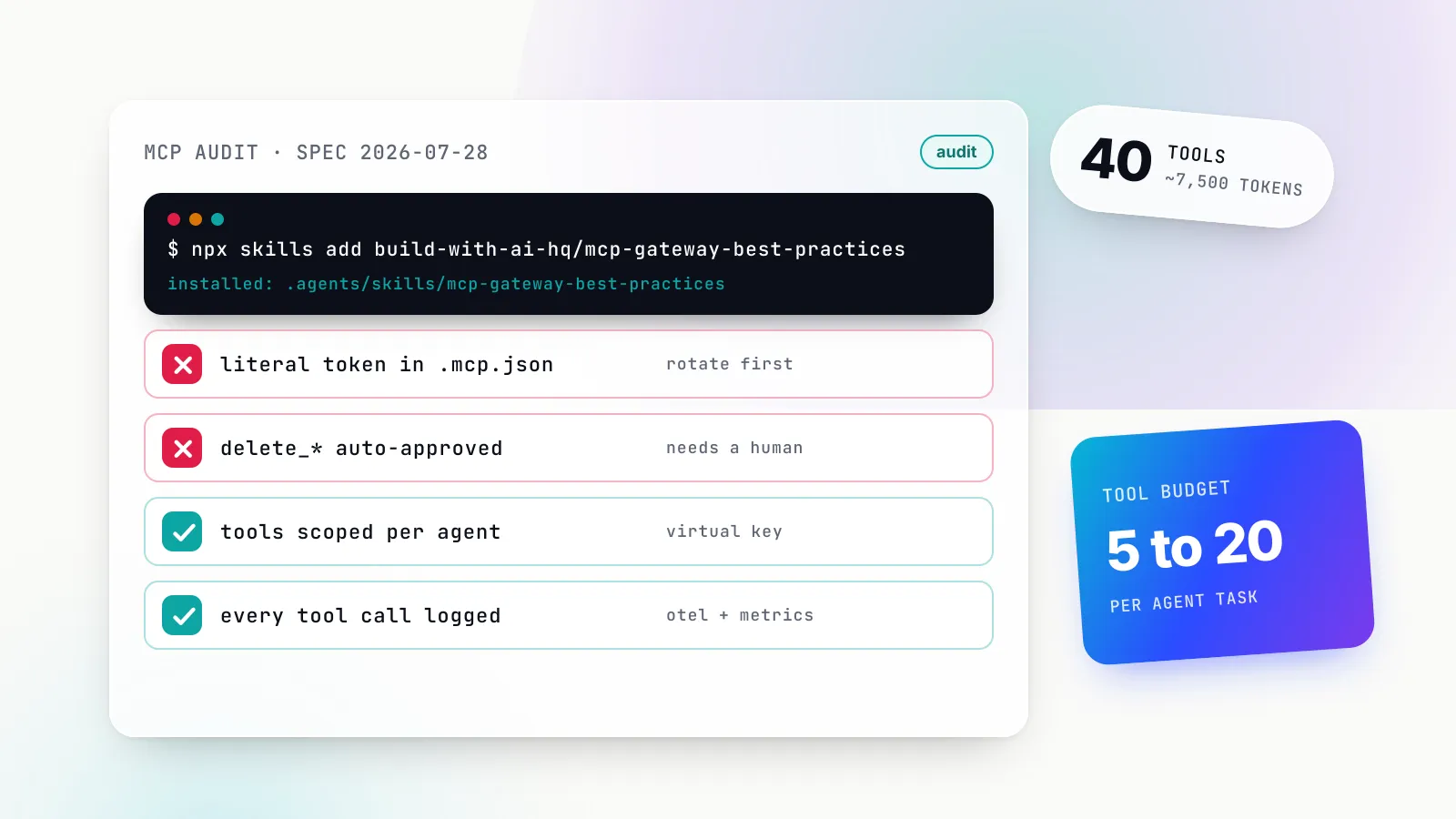
The view’s tools. The view registers app tools before app.connect(). A naive design registers one move_to_<column> tool per column. A board with 70 columns would then exceed the 64-tool limit, and Claude would be unable to use any of the view’s tools, not just the extra six. The better design is one move_card tool taking card_id and column arguments, with the column list returned in the result text rather than baked into the schema. That also keeps the tool definition constant, so a user’s Always allow choice survives a column being renamed.
The request. A user on an organisation with app tools and the unified experience asks Claude to open their sprint board, then, in a second message, to move the three overdue cards to “Blocked.” Claude calls move_card three times. With the conversation’s permission set to Manual and no saved choice, the user sees an approval prompt naming Boardwise and the tool’s title for the first call; if they choose Always allow, the next two run without asking. Each call must return within 45 seconds. A bulk operation that might take longer should start the work, return immediately and offer a second tool that reports the outcome, as the docs recommend.
The failure cases. If Boardwise submits to the directory and is listed as Community, users who install from the listing get the view but not the embedded board: the iframe is blank and Claude shows no message. So the view should read app.getHostCapabilities()?.sandbox?.csp?.frameDomains after connecting and, if the list does not include https://app.boardwise.example, render a bundled read-only board and an “Open in Boardwise” button that sends ui/open-link. If the user’s organisation lacks app tools, the view still works; Claude simply cannot operate it, and the user moves cards by hand.
What each actor approved. The user approved move_card three times or once. They approved nothing for the view’s callServerTool requests to fetch cards and mint a frame token. Boardwise’s server therefore has to check, on every request, that the token-holding user can edit those cards. If it does not, Claude’s approval UI offers no backstop.
The lesson from the example, in our view, is that the capability ladder should be built from the bottom: a view that renders data, then app tools, then the embedded site, then entry points, each detected at runtime. The independent write-up reaches the same recommendation in its own words: “Build the smallest shape first.”
Portability: what runs elsewhere and what is Claude’s
Anthropic’s announcement says an MCP App “isn’t limited to Claude and can run in any AI application that supports the extension.” The MCP project’s overview lists Claude, Claude Desktop, VS Code GitHub Copilot, Microsoft 365 Copilot, Goose, Postman, MCPJam and Archestra.AI as supporting MCP Apps, and the January MCP blog post listed ChatGPT support as “starting this week.” The SDK is built for this: registerAppTool() and registerAppResource() generate each host’s metadata, and App.connect() without a transport argument detects the host.
Portability is real at the level of the core pattern, a ui:// resource rendered in a sandbox with a JSON-RPC bridge. It is weaker at the level of the new features. Several pieces of the November experience are explicitly Claude-specific or vendor-specific:
preferredDisplayModeis a Claude extension that other hosts should not be expected to read.ui.domain’s format is defined per host; Claude’s is the hash onclaudemcpcontent.com.- Entry points use the
openai/uikey from OpenAI’s MCP extensions, which Claude now also reads. - Limits such as 64 tools, 45 seconds and 100,000 characters are Claude’s documented values, not specification values.
- Claude ignores
baseUriDomainsand keeps the base URI on the app’s own origin, per the design guidelines.
Whether other hosts implement app tools, and with what limits and approval behaviour, is not established by any page we read. The draft specification describes the messages; it does not oblige any host to prompt the user before calling an app-registered tool. A developer targeting several hosts should test each one’s approval behaviour rather than assume Claude’s.
UX implications for people building the views
The product change is also a design change. Anthropic’s design guidelines recommend the side panel for “documents, boards, and maps that the user and Claude work on together,” and full screen for dashboards and document editing, with the conversation composer always visible. They draw a clear line between interactions that belong in the app (direct manipulation, filtering, confirming a prepared action) and those that belong in chat (free-text input, follow-up requests, anything “that benefits from Claude’s interpretation”). An embedded full editor blurs that line, because the editor has its own text input and its own commands. Teams porting an existing web app should expect to decide which of its controls Claude should operate and which it should leave to the user.
Views are also more ephemeral than a web app. A new tool call opens a new view, which can replace a full-screen view from any connector, or a side-panel view from the same connector, and the replaced view returns inline with its displayMode set to inline. A new view must send its initialized notification within 15 seconds of loading to take the full-screen slot. Reloads start from the HTML. Anthropic documents a separate supersession pattern to stop an older view acting on stale data. All of this argues for keeping state on the server and treating the view as a renderer.
Mobile is a separate target. The help article says the side panel, full-site views and pinning “aren’t available on Claude Mobile yet.” The design guidelines say mobile apps render in a native WebView rather than a sandboxed iframe, with no camera, microphone or location access, and that a user must add a connector on web or desktop before it appears on mobile. Pins are saved per browser, so a pin on the web does not appear in Claude Desktop.
What is still unknown
Several questions that would change a team’s decision are not answered by the material published so far.
- Who has access, and when that widens. Anthropic has not published the organisations in the preview, the selection criteria or a date for general availability of app tools, embedded sites, the side panel or entry points.
- How Verified listings allow origins. The docs say a Verified listing must allow each origin, and a new origin cannot load until the listing allows it. They do not say how a developer requests a new origin, how long that takes, or what review applies.
- What partners actually ship. The announcement names launch tools and example use cases. It does not say which partners use embedded sites versus bundled views, or how many tools their views expose. That determines how much of the “full app” is the vendor’s real product.
- Audit coverage. Anthropic’s 10 November product post says Enterprise security teams can see how Claude is used “through audit logs and a Compliance API.” We found no statement in the pages we read about whether app tool calls, view-to-server calls or embedded-site activity appear in those logs or in compliance exports. In January, TechInformed reported that Cowork activity at that time was excluded from audit logs; we have not seen a current statement either way for app tools, and enterprise buyers should ask.
- Other hosts’ behaviour. No page we read documents app-tool support or approval rules in ChatGPT, VS Code or Microsoft 365 Copilot.
- Measured reliability. There are no published figures, from Anthropic or anyone else, on how often Claude chooses the right app tool, how often calls time out, or how users respond to approval prompts in long editing sessions. Everything in this article is documented behaviour, not measured behaviour.
The evidence that would move our view is straightforward to name. A published date or criteria for preview access would turn the gating table into a planning tool rather than a warning. A documented process and timeline for adding origins to Verified listings would show whether embedded sites are practical for most developers or mainly for launch partners. Audit-log documentation covering app tool calls would settle the enterprise governance question. And an independent test, with a stated number of tasks and a named model version, of how reliably Claude operates an app through app tools would say whether “Claude can work in them” holds up beyond demos. That test is proposed here; we have not run it.
What to do now
For developers with an MCP server, the sensible response is to build in layers and detect each one at runtime.
- Get the base view right first. A
ui://resource that renders useful data inline works for every user, in every MCP Apps host, and on mobile. - Add app tools that are few, generic and constant. Stay well under 64 per view, put changing values in results rather than definitions, write a first description line that stands alone in 200 characters, and return what Claude needs as
text. - Enforce authorisation on the server. Treat every
callServerToolrequest as an unprompted client call carrying the user’s session, and usevisibility: ["app"]for anything Claude should never call, such as token minting. - Treat embedded sites as an upgrade with a fallback. Set
ui.domain, list only the exact sandbox host andhttps://claude.aiinframe-ancestors, read the allowedframeDomainsafter connecting, and show a bundled view or an open-link button when the list is empty. - Test the configuration your users will have. A custom connector by URL is not a Community install. If your server has a directory listing, test from that listing before telling users what they will see.
For admins, the decision is narrower. Check which connectors currently have all tools allowed, because those are the ones that will gain the new behaviour as it rolls out, and decide whether that is the intended outcome. Use the option to disable the tool calls that render interactive connectors where a text-only connector is enough.
The announcement changes what Claude does inside a workplace tool: it now operates the same editor the user has open, through tools the developer defines. The documentation shows a gated rollout with clear approval rules on Claude’s side of the boundary. The other side, the developer’s own server and the site it chooses to frame, is outside those rules. We think that is where the next problems are most likely to appear, and it is the developer’s to secure.
Sources
- Your apps can now open in Claude, and Claude can work in them Anthropic
- More ways to work with Claude: Sheets, Whiteboards, and Interactive Connectors Anthropic
- Get started with MCP Apps Anthropic (Claude developer docs)
- Let Claude call tools in your MCP App Anthropic (Claude developer docs)
- Embed a website in an MCP App Anthropic (Claude developer docs)
- Show your MCP App in the side panel or full screen Anthropic (Claude developer docs)
- Let people open your MCP App without asking Claude Anthropic (Claude developer docs)
- Send messages to Claude from your MCP App Anthropic (Claude developer docs)
- Download files from your MCP App Anthropic (Claude developer docs)
- MCP Apps design guidelines Anthropic (Claude developer docs)
- Connector verification Anthropic (Claude developer docs)
- Use interactive connectors in Claude Anthropic (Claude Help Center)
- MCP Apps overview Model Context Protocol
- MCP Apps specification (SEP-1865), stable 2026-01-26 Model Context Protocol, ext-apps repository
- MCP Apps specification, draft Model Context Protocol, ext-apps repository
- MCP Apps: Bringing UI Capabilities to MCP Clients MCP Core Maintainers
- Your favorite work tools are now interactive connectors inside Claude Anthropic
- Claude Cowork and chat are now one Claude Anthropic
- MCP Apps in Claude: app tools, entry points, embedded websites, ui.domain and the Verified vs Community listing gap Max Nardit
- Anthropic brings interactive workplace tools into Claude via MCP apps TechInformed
Frequently asked questions
What are app tools in MCP Apps?
App tools are tools that an MCP App registers inside its rendered view, so that Claude can change what the view shows, such as adding an item to a list on screen. They are registered in the view's script with app.registerTool or with onlisttools and oncalltool handlers, and Claude asks the user to approve each call unless a saved choice already applies.
Can any developer use app tools and embedded sites in Claude today?
Anthropic calls them a public preview that developers can start building with, but as checked on 12 November 2026 its docs say app tools, the side panel, entry points and embedded sites for custom connectors are available to a limited set of organisations, and that app tools, the side panel and custom-connector embedded sites are not available in every conversation. Developers should treat them as upgrades that may be missing and keep a working fallback.
Why does my embedded site load as a custom connector but not from the directory?
Claude applies different rules by connector type. A custom connector's origins load only after the user allows them, where the feature is available; a Verified directory listing must allow each origin; a Community listing has its origins blocked, and Claude shows no message when that happens.
Are MCP Apps specific to Claude?
No. MCP Apps is an official extension to the Model Context Protocol, and the MCP project lists other supporting hosts including VS Code GitHub Copilot, Microsoft 365 Copilot and Goose. Some Claude behaviour, such as the preferredDisplayMode field and the ui.domain format, is Claude-specific and should not be expected elsewhere.
Do interactive connectors work on mobile?
Anthropic's help article says interactive connectors are available on the iOS and Android apps, but the side panel, full-site views and pinning are rolling out only on the web and Claude Desktop. Its design guidelines say mobile apps render in a native WebView without camera, microphone or location access.
How can admins control the new features?
Anthropic says that if an organisation already allows all of a connector's tools, the new features appear as they roll out, and admins can restrict a connector's tools as before. On Team and Enterprise plans, Owners can disable the specific tool calls that render interactive connectors without disabling the connector's text-based functionality.